/
Tal Hayun UX/UI DESIGNER
Mobile App Concept

Build plugin chains for your sound and goals. Find recommendations and save your choices.Build and save plugin chains matched to your sound and goals.

  • Self-initiated concept
  • Solo UX/UI designer
  • Figma, ChatGPT, Claude
SoundPath mobile app mockup on a geometric pedestal
Mobile App Concept

SoundPath
Plugin Discovery

Build plugin chains for your sound and goals.
Find recommendations and save your choices.

  • Self-initiated concept
  • Solo UX/UI designer
  • Figma, ChatGPT, Claude

Explore SoundPath

Follow a guided path from your sound goal to a plugin chain. Click through the prototype to explore recommendations and saved choices.

Problem

Producers and engineers waste time searching for the right plugins across crowded marketplaces and complex documentation.

Core users

Music creators, producers, and mix engineers who need fast, practical recommendations during creative work.

Product goal

Make it effortless to find, evaluate, and organize the right tools so creators can focus on making music.

Product value

Save time, reduce decision fatigue, and build better mixes with tools that truly fit your sound.

User flow & screen logic

A guided flow that adapts to the user's goal and experience level, turning complex decisions into a simple, confident path.
01

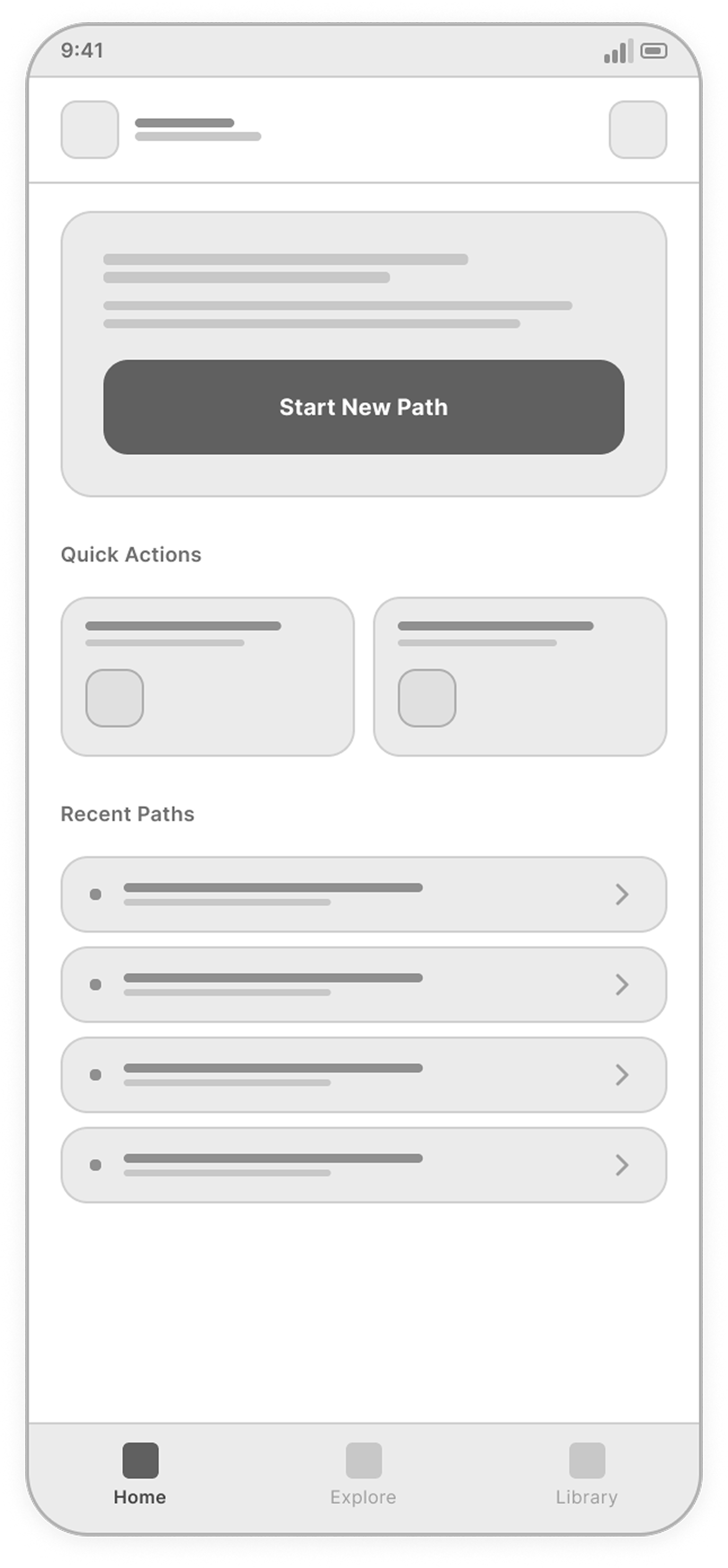
Home

Discover and start sound journeys quickly.

Home screen
02

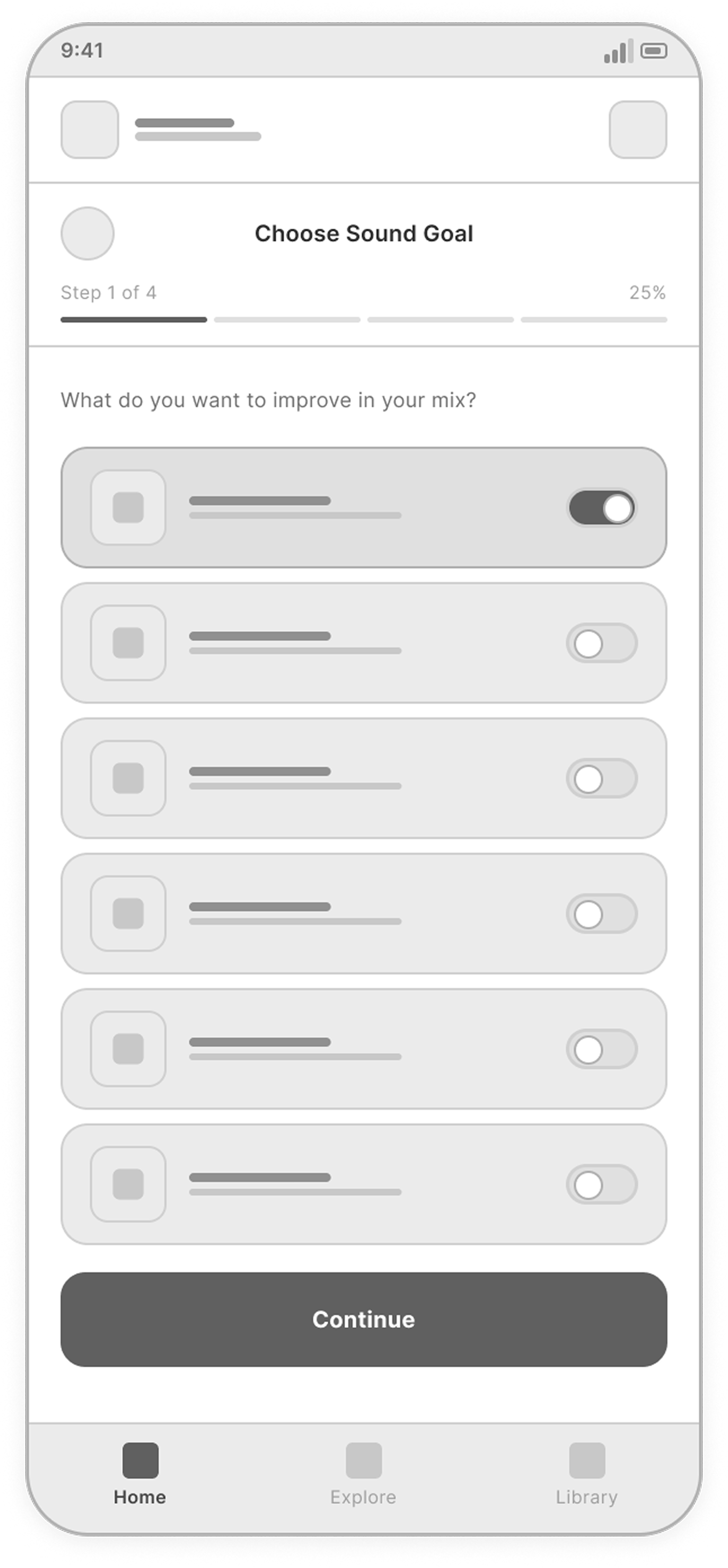
Choose sound goal

Select the sound improvement you want to achieve.

Choose Sound Goal screen
03

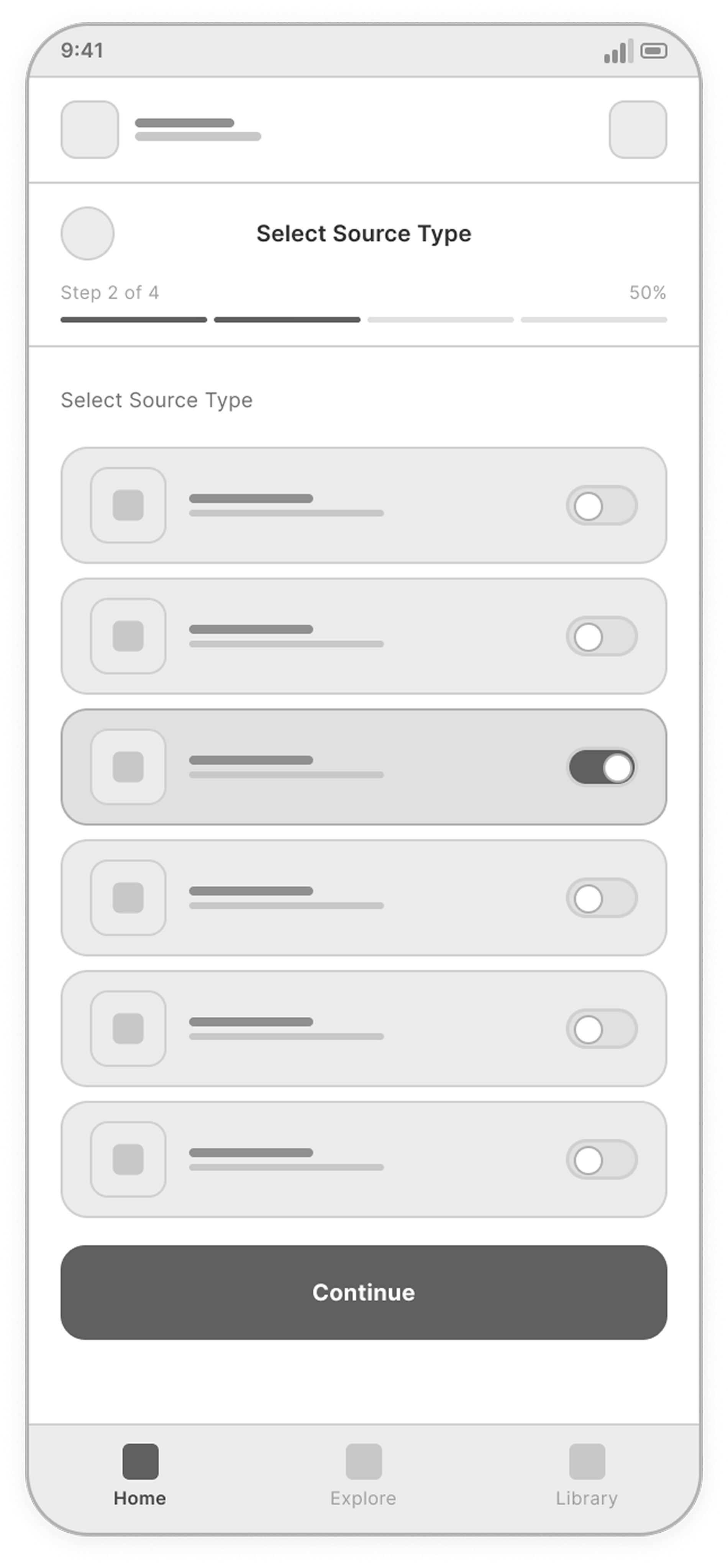
Select source type

Choose the instrument or source you are working on.

Select Source Type screen
04

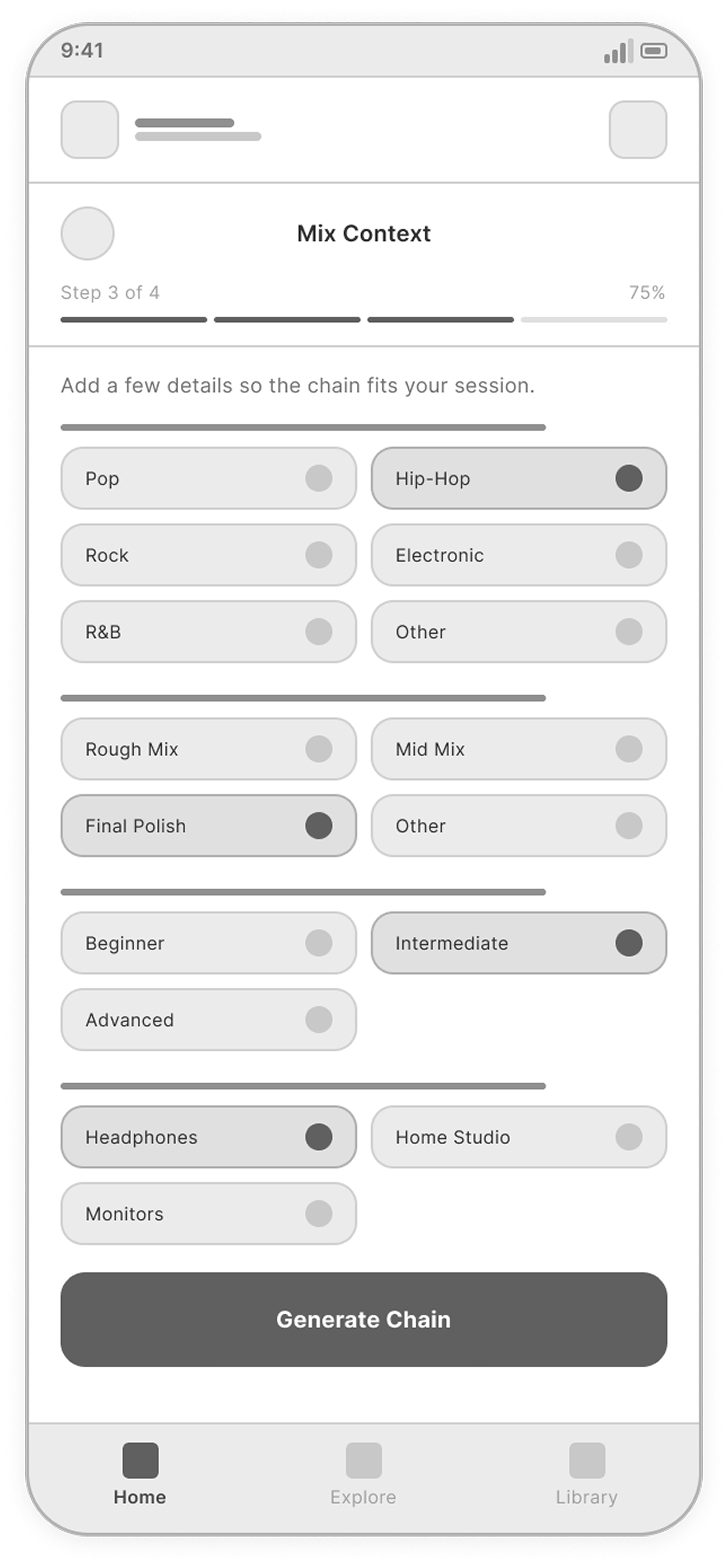
Add mix context

Add style, genre, and mix context for better recommendations.

Add Mix Context screen
05

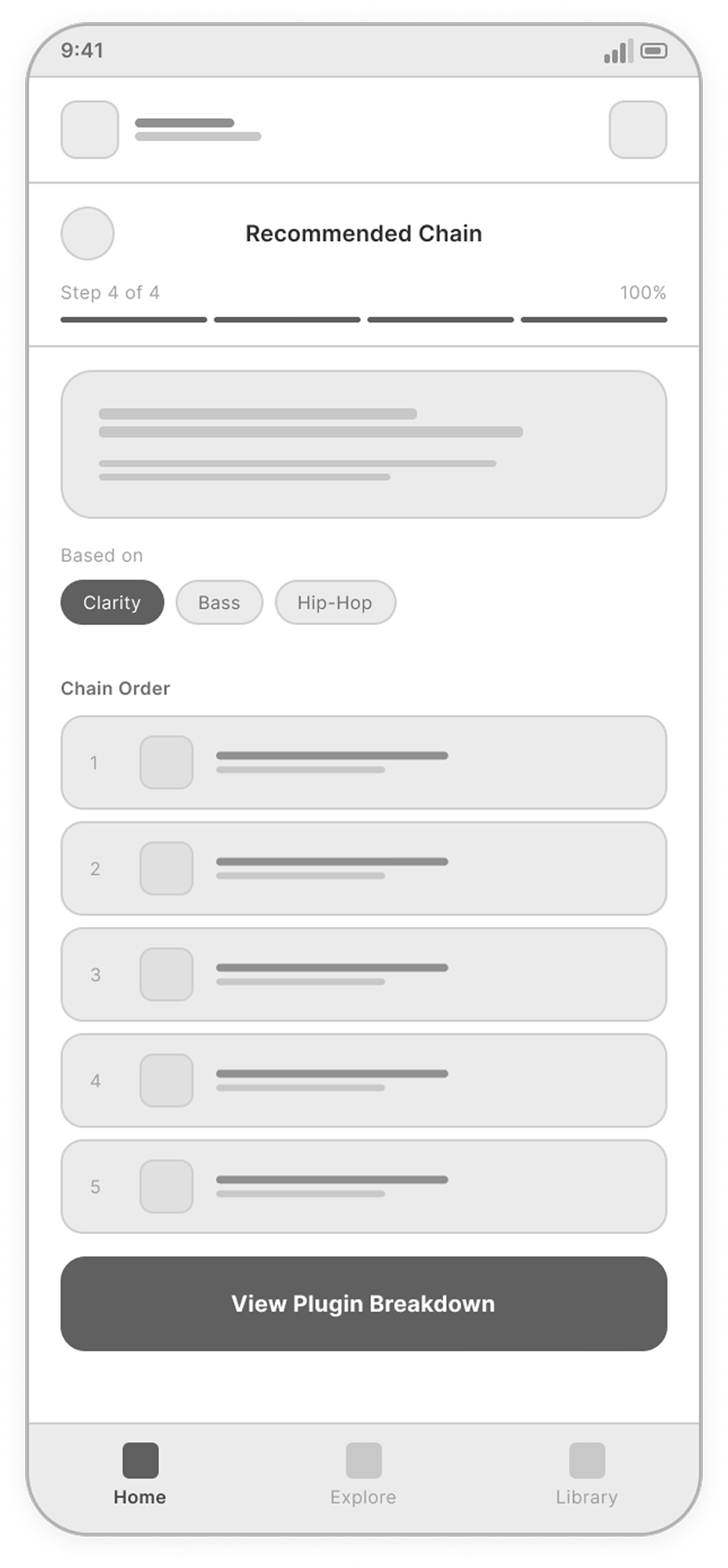
Recommendation

Review a tailored plugin chain.

Recommendation screen
06

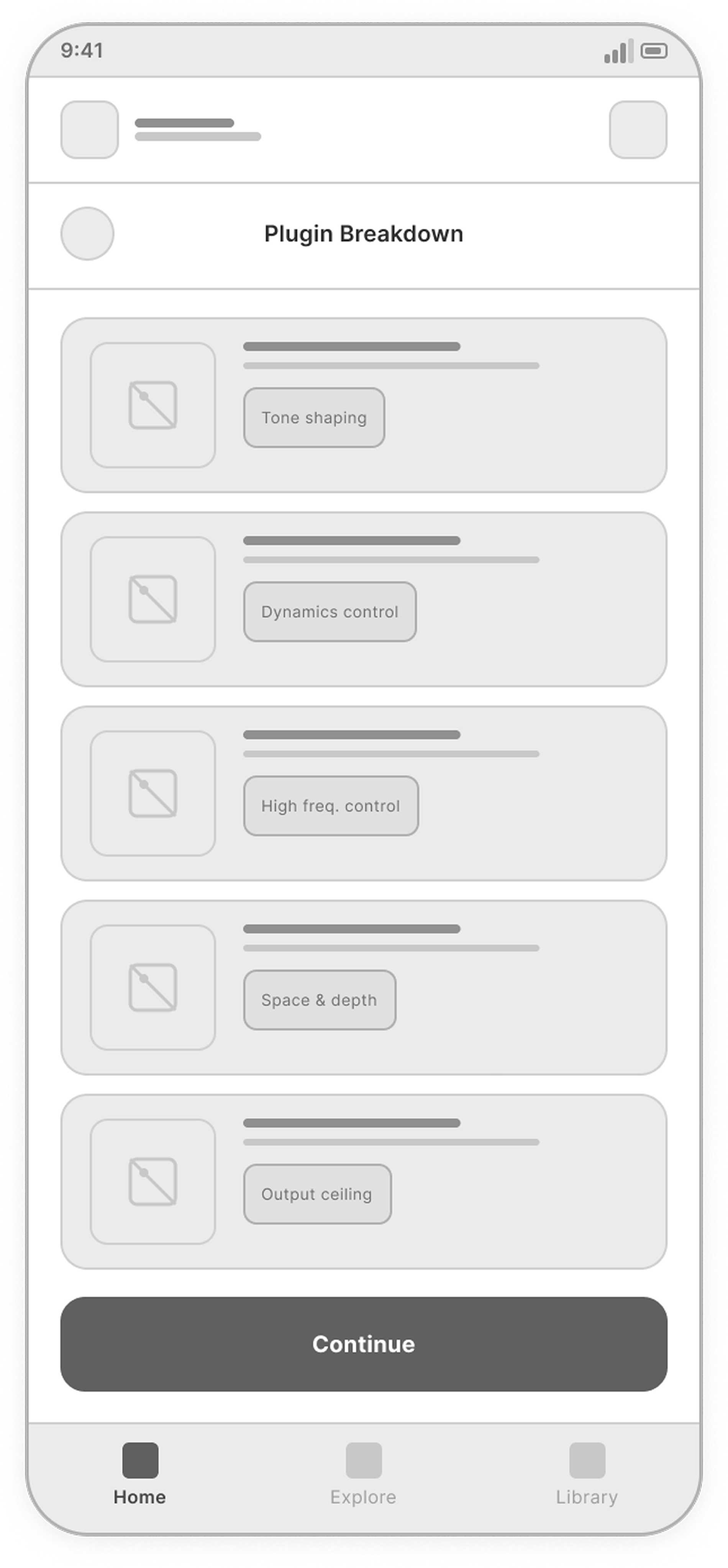
Plugin breakdown

Understand each plugin's role and why it was recommended.

Plugin Breakdown screen
07

Save chain

Name, save, and reuse the chain.

Save Chain screen
08

Chain library

Browse and manage saved chains.

Chain Library screen

Final screens

From a sound goal to an explained plugin chain — followed by practical starting points, saving and reuse in the next session.
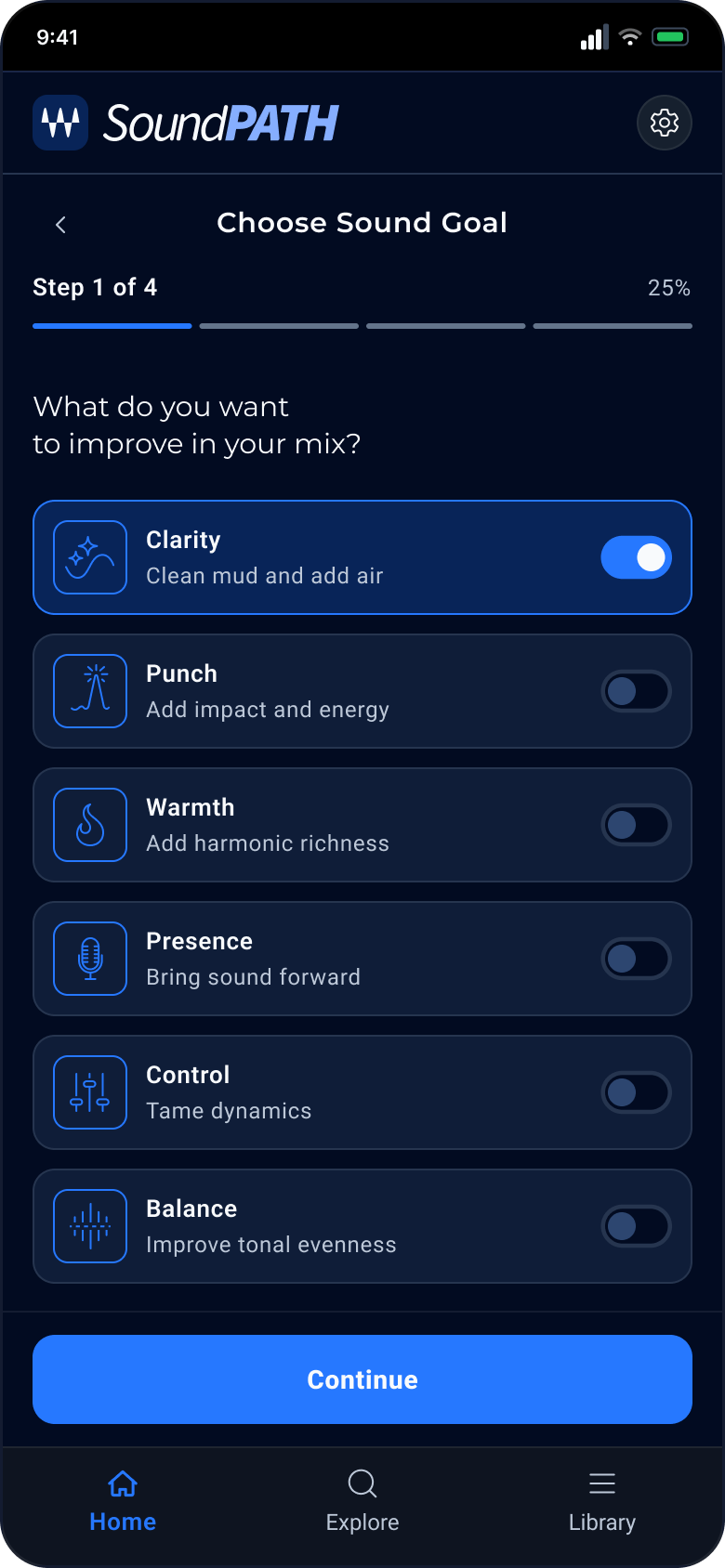
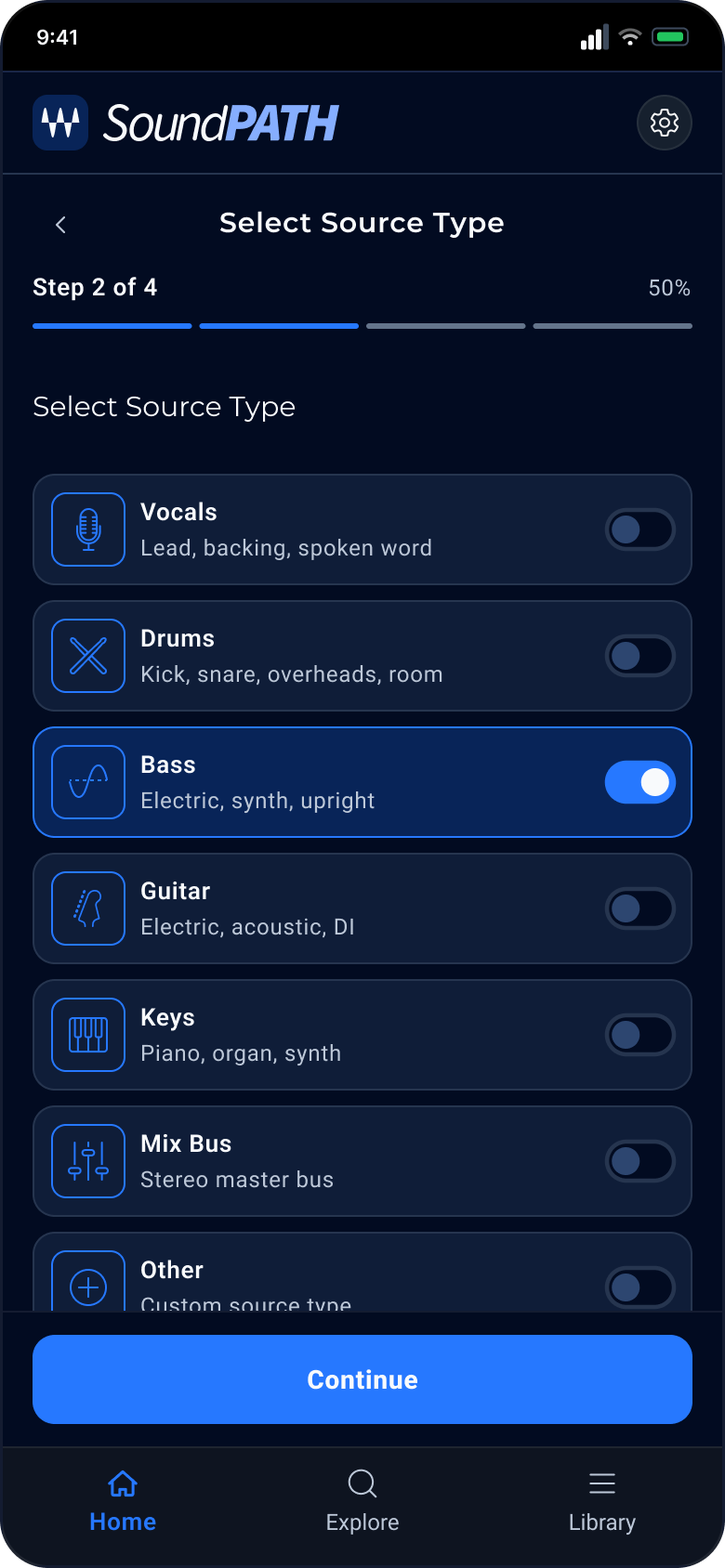
01 / 08

Choose sound goal

The first question is about the sound, not the plugin. I limited it to six goals, each with a short plain-language explanation, so someone who doesn't know plugin names can still answer with confidence.

View full screen
soundpath — Choose sound goal screen
02 / 08

Select source type

The same goal needs different tools on vocals and on drums, so the second step asks what the user is working on. A compact list with examples under each source keeps this step to a single tap.

View full screen
soundpath — Select source type screen
03 / 08

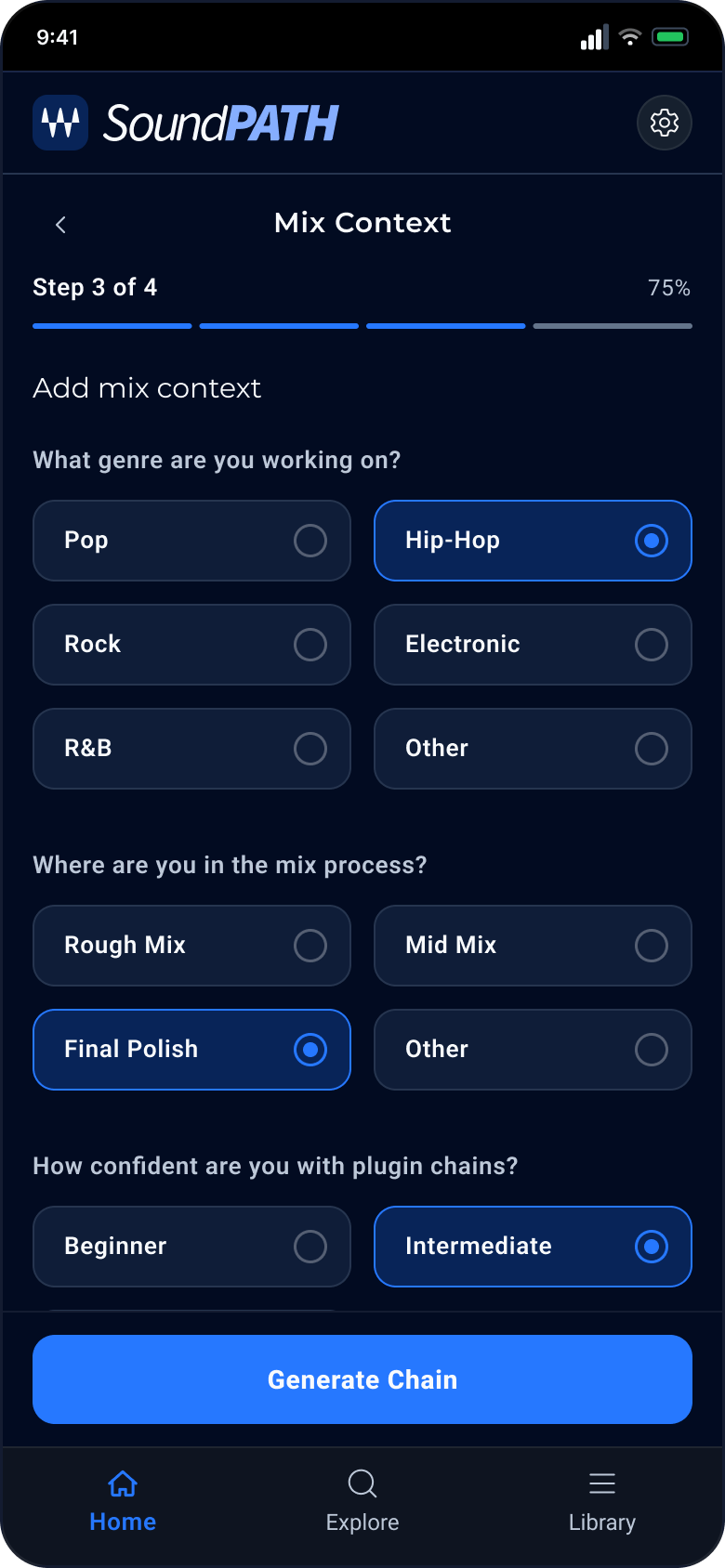
Mix context

Genre, mix stage, confidence level and monitoring setup are collected as chips instead of form fields. Four short questions on one screen give the recommendation context without making the flow feel like a questionnaire.

View full screen
soundpath — Mix context screen
04 / 08

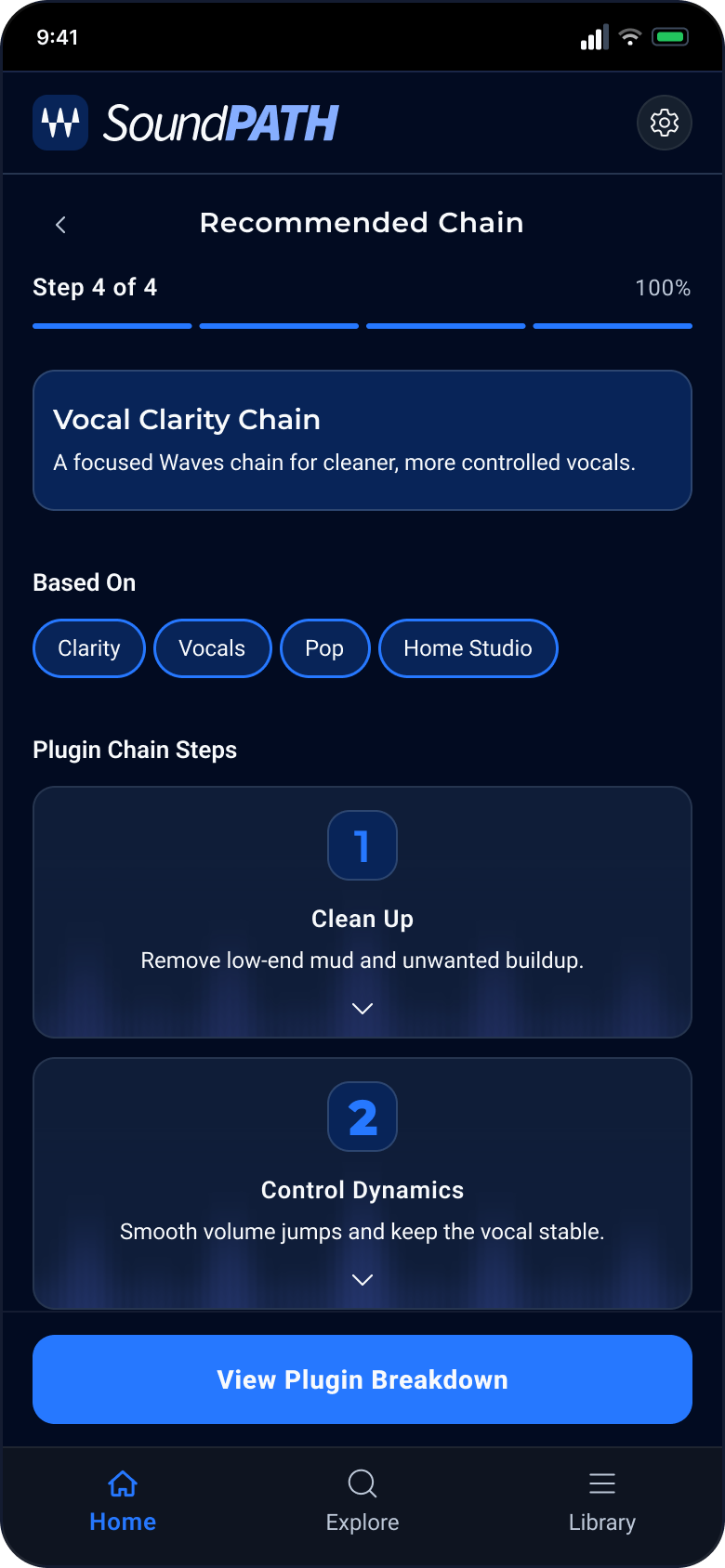
Recommended chain

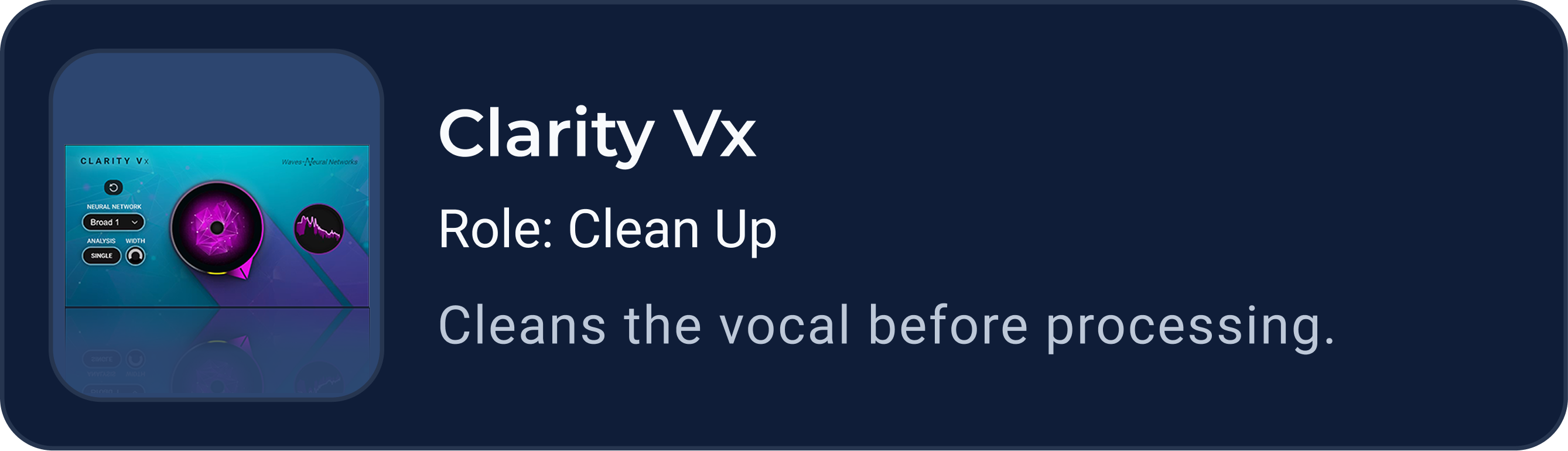
The result is an ordered chain of five steps, each named by what it does: Clean Up, Control Dynamics, Shape Tone, Add Presence, Add Space. The user understands the plan before seeing a single plugin name.

View full screen
soundpath — Recommended chain screen
05 / 08

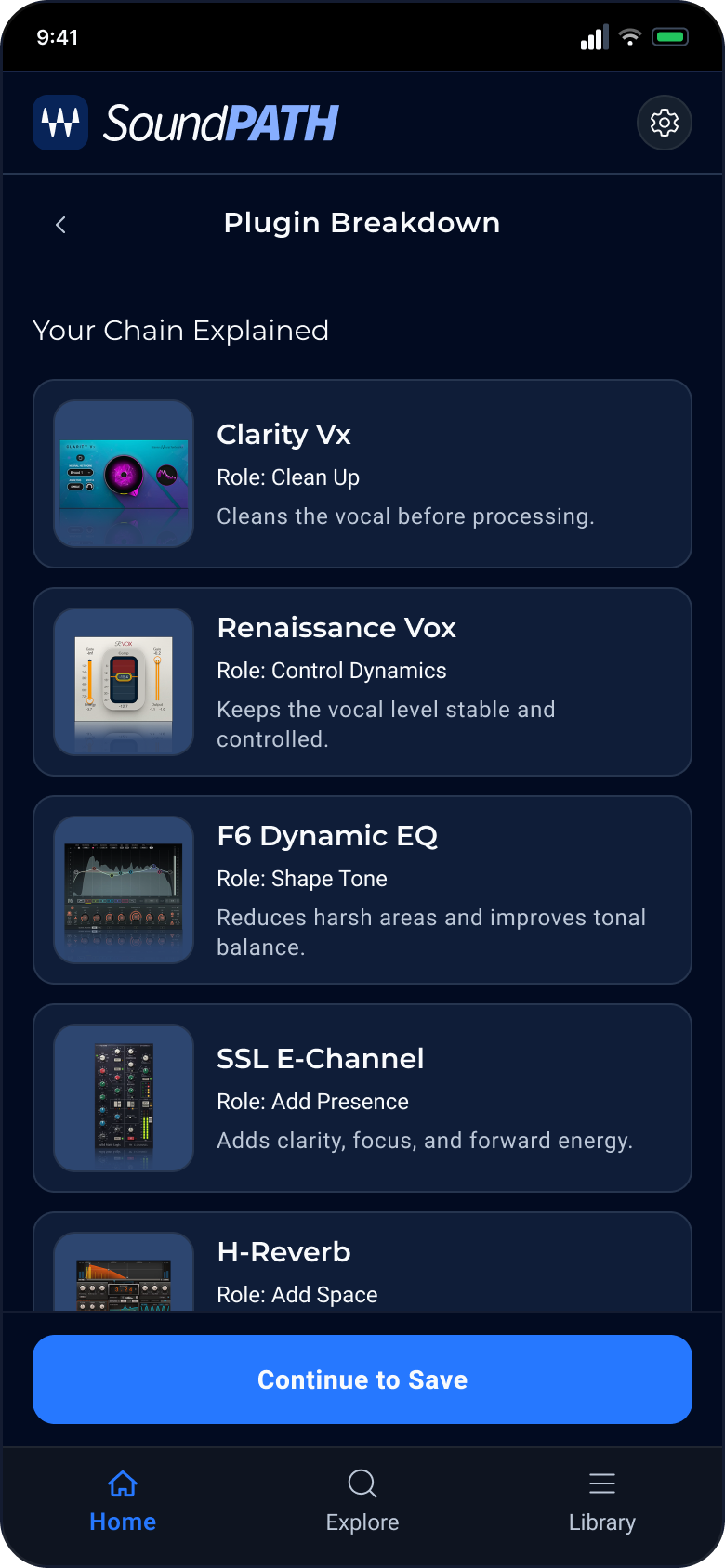
Plugin breakdown

Each step now gets its plugin, labeled with its role and one sentence on what it does in this chain. The breakdown answers the question a less experienced user has before trusting a recommendation: why this plugin?

View full screen
soundpath — Plugin breakdown screen
06 / 08

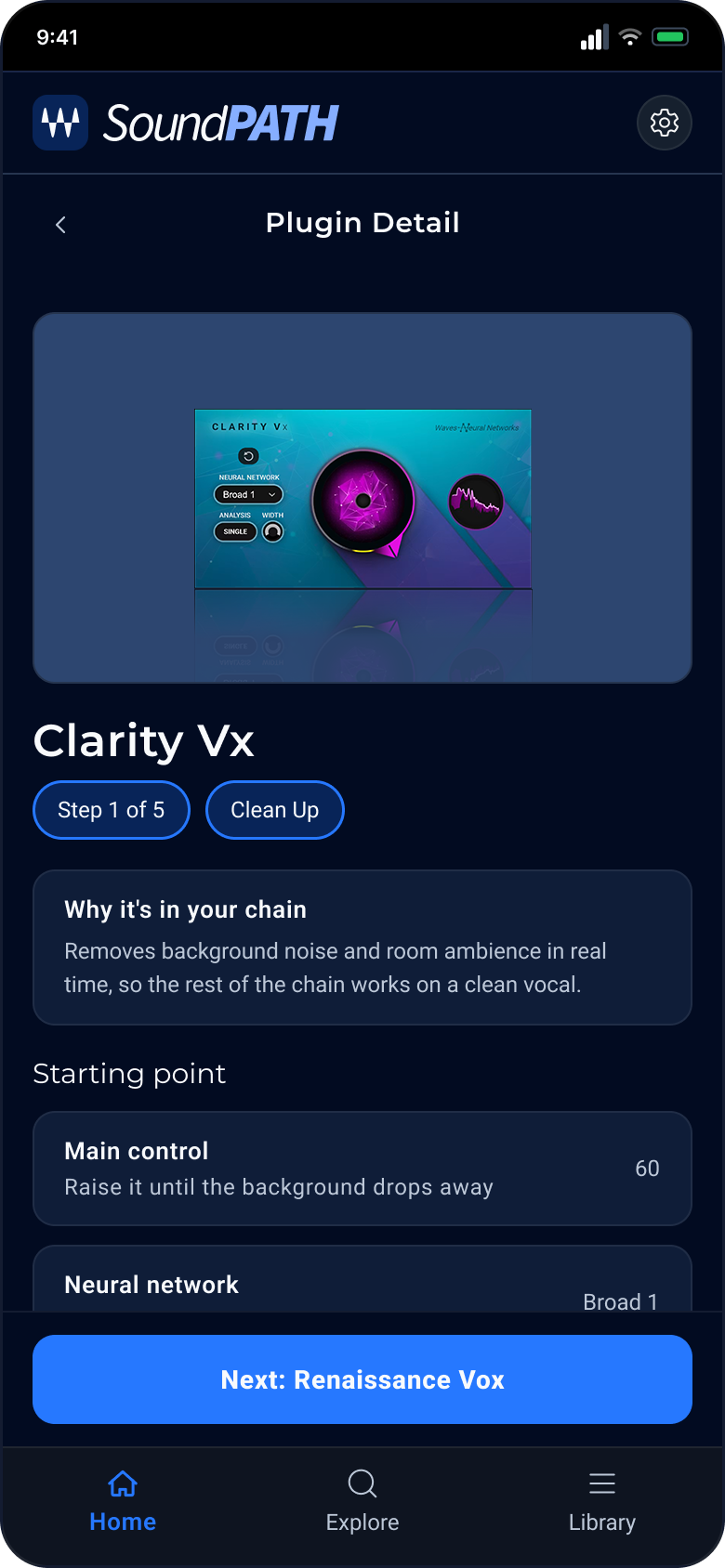
Plugin detail

One level deeper, the plugin page explains why it is in the chain and gives a starting point for its main controls. I added it so the recommendation ends with something the user can do in the DAW, not only a list.

View full screen
soundpath — Plugin detail screen
07 / 08

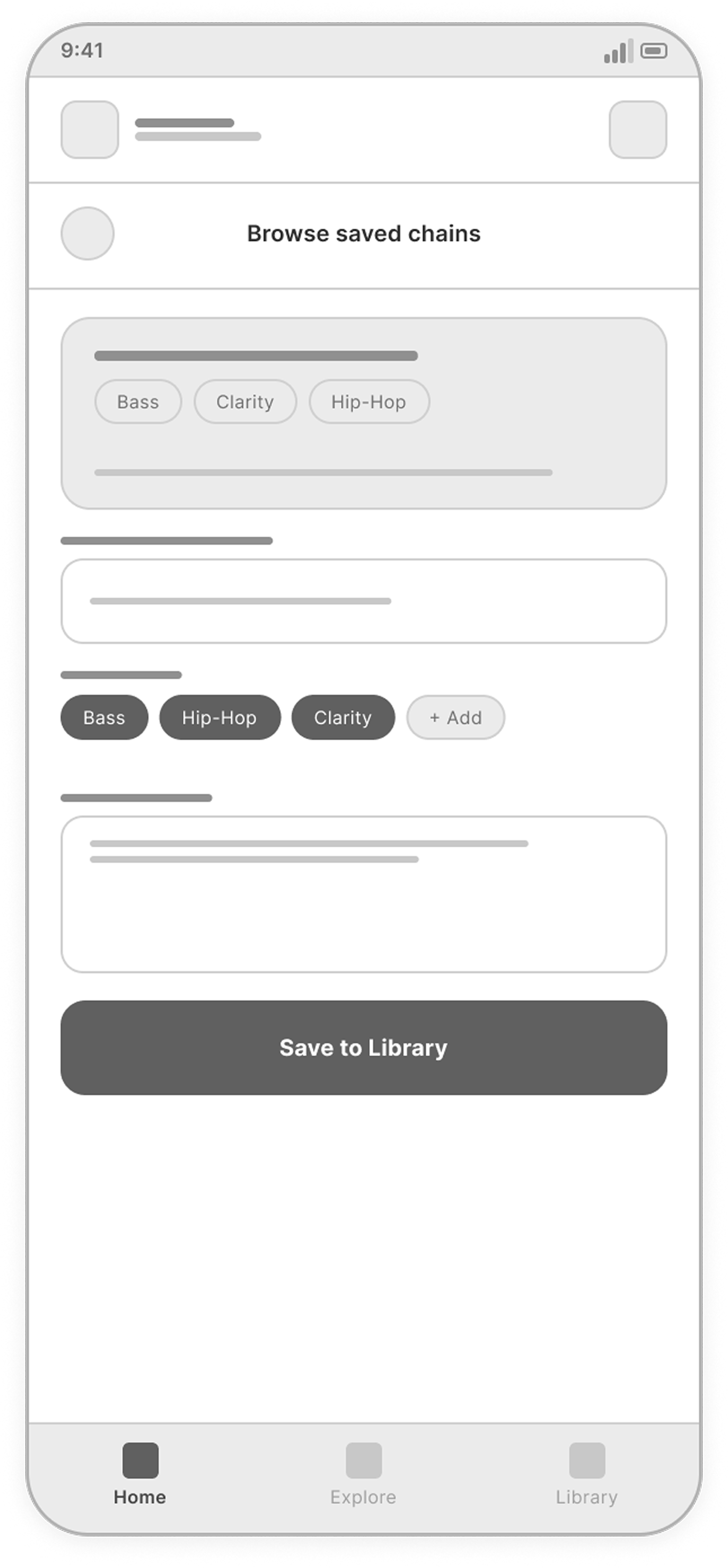
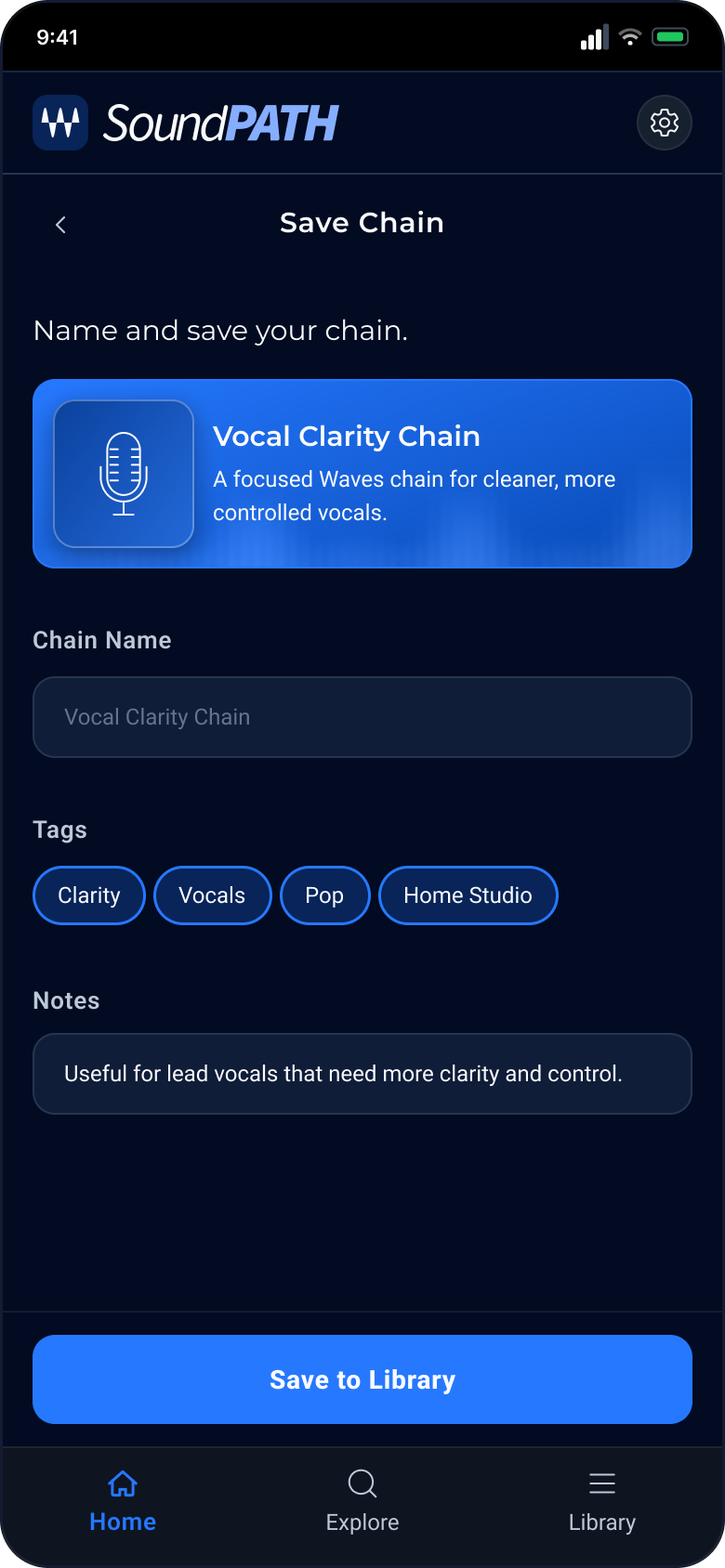
Save chain

Saving asks for almost nothing: the chain name and tags come from the answers already given. The user can save in one tap and still rename the chain or add a note.

View full screen
soundpath — Save chain screen
08 / 08

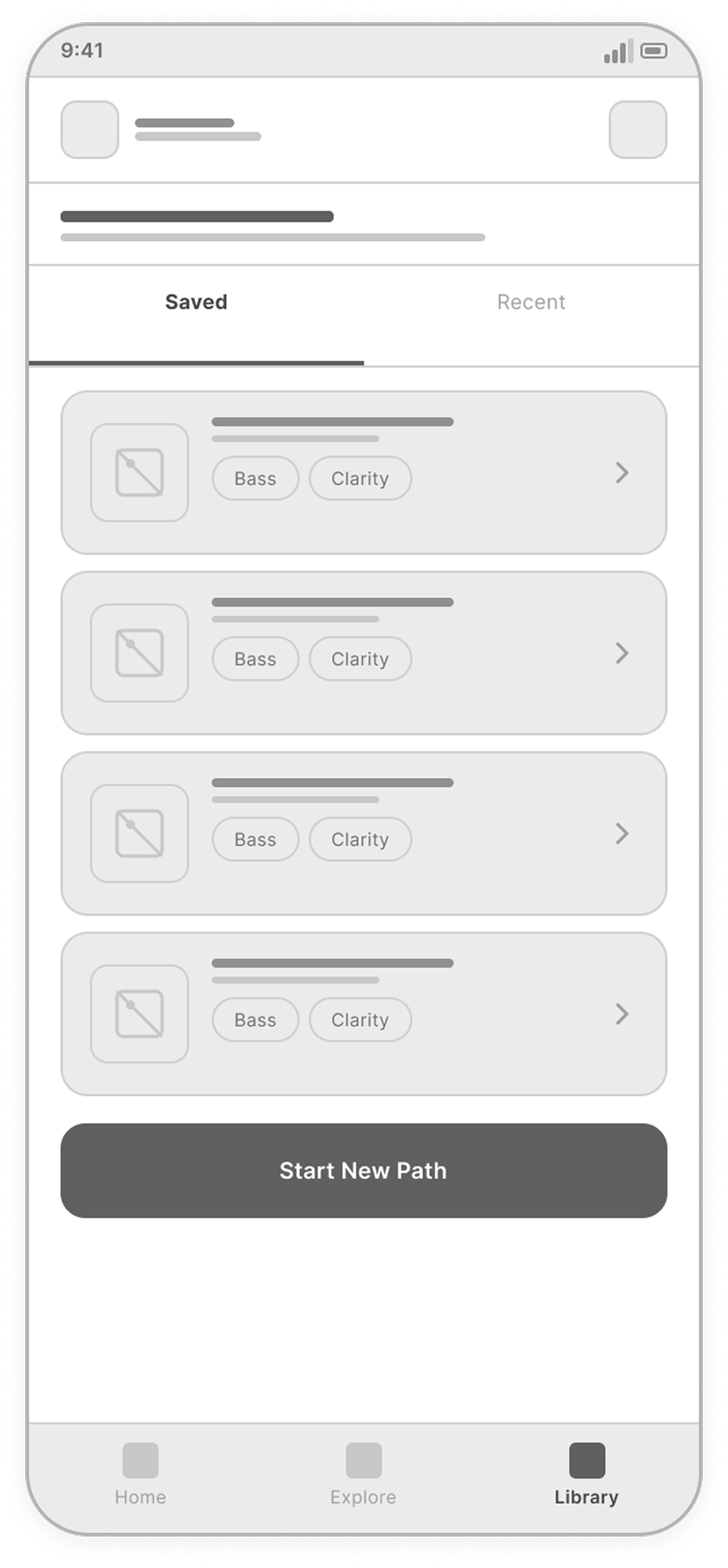
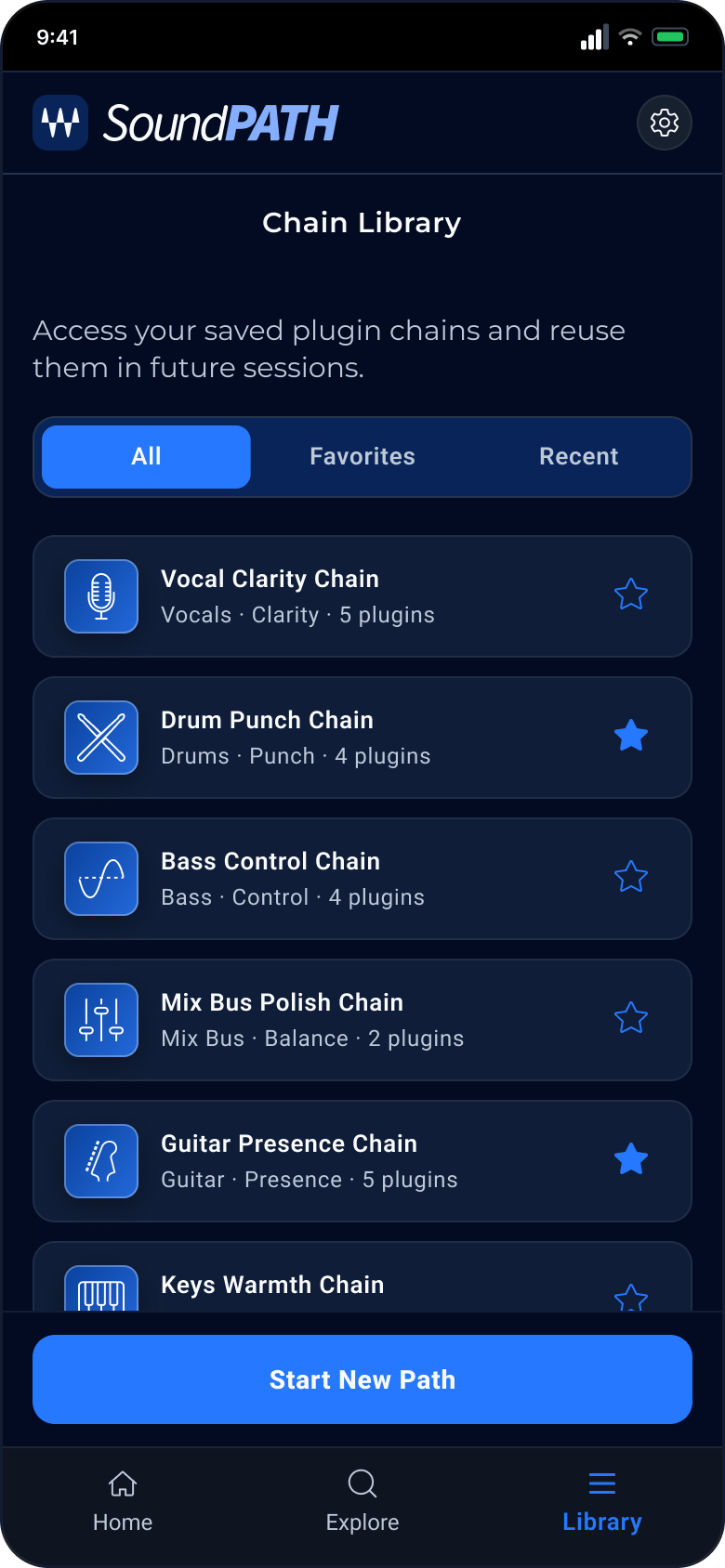
Chain library

Saved chains live in one list with All, Favorites and Recent tabs, each described by source, goal and plugin count. A Start New Path button stays on the screen, so the library is also a way back into the flow.

View full screen
soundpath — Chain library screen

Design system

A dark interface system: Montserrat for titles, Roboto for interface text, blue for actions and selection, and a small set of reusable components.

View design system Hide design system

Typography

Montserrat gives the interface a strong, modern voice, while Roboto keeps labels and supporting text clean and readable.

01
Display / Headings Montserrat Regular · SemiBold Headline
UI / Body Roboto Regular · SemiBold · ExtraBold Body Text
Type Scale
Screen TitleMontserrat · 24px · SemiBold · 0.4px
Progress TitleMontserrat · 15px · SemiBold · 0.4px
Section TitleMontserrat · 15px · Regular · 0px
Card TitleRoboto · 13px · SemiBold · 0px
BodyRoboto · 12px · Regular · 0px
CaptionRoboto · 12px · Regular · 0.4px

Color system

Dark surfaces create focus, while blue accents guide actions, selected states, and navigation.

03
App Background
#020B21
Surface
#0F1D38
Surface Elevated
#082458
Border
#26354F
Border Elevated
#2D4670
Text Primary
#F8FAFC
Text Secondary
#BDC8D8
Text Muted
#64748B
Accent Blue
#2678FF
Accent Violet
#8B5CF6
Success
#22C55E
Warning
#F59E0B

Icon style

Simple monochrome icons support quick recognition across goals, sources, and actions.
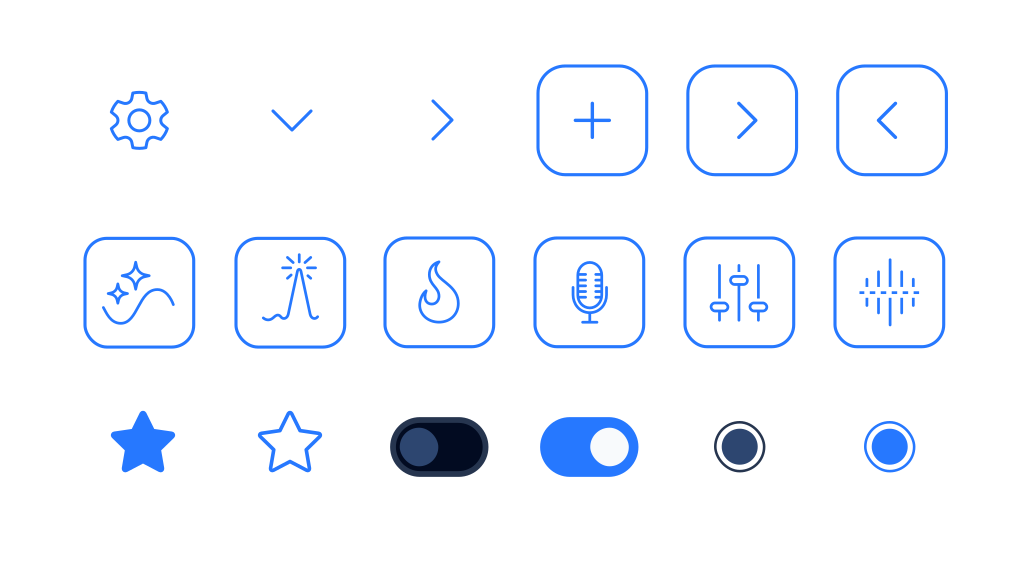
04
SoundPath icon set

Core components

Reusable cards, buttons, chips, and navigation patterns keep the flow clear and consistent.

02
Default goal card Selected goal card Recommendation step card Context chip states Plugin card Primary button

Key UX decisions

These choices define the recommendation journey. They have not been tested with users yet and remain assumptions to check with creators.

Decision 01

Guided flow over open search

Instead of: starting with a searchable plugin catalog.
Why: A creator may know the sound they want without knowing which plugin produces it. Starting with a sound goal gives them a useful entry point.

Decision 02

Step-by-step recommendation logic

Instead of: collecting every detail in one long form.
Why: Goal, source and mix context each narrow the recommendation. Separate steps keep the current choice focused, while the progress indicator shows what remains.

Decision 03

Chain first, plugin details second

Instead of: a flat list of recommended plugins.
Why: Order and purpose matter in a chain. Showing the stages first gives each plugin a role, and the breakdown explains why it belongs there.

Decision 04

Saved chains for future reuse

Instead of: a result that disappears after the session.
Why: A useful chain can be a starting point for another track. Saving it lets the creator return to the recommendation and its explanation.

Outcome & next steps

SoundPath creates a guided path from a sound goal to an explained plugin chain.

SoundPath is a self-initiated concept, not a launched product. I designed the goal-to-chain journey, UX/UI, reusable components and clickable prototype, using ChatGPT and Claude during development. It has not been tested with users.

I would first test whether the sound goals match creators’ language and whether the chain breakdown explains the recommendation clearly. If implemented, I would measure path completion, time to a saved chain and reuse of saved chains in later sessions.
More projects

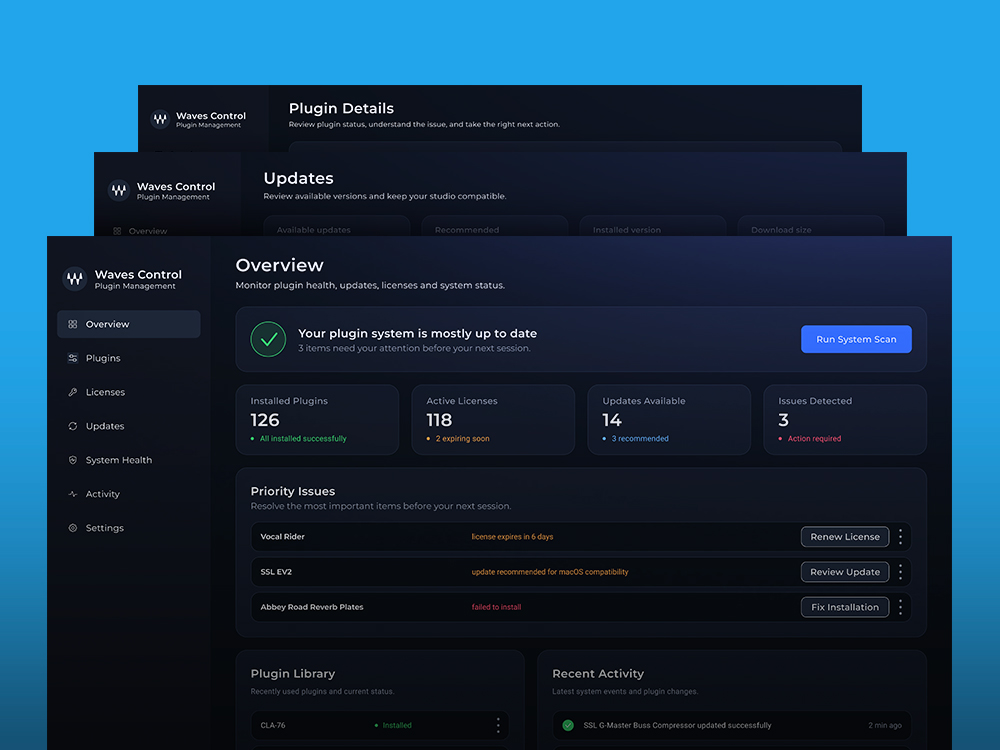
Waves Control Center dashboard concept screens
Waves Control Center

Plugin license control for audio workflows.

DASHBOARD CONCEPT
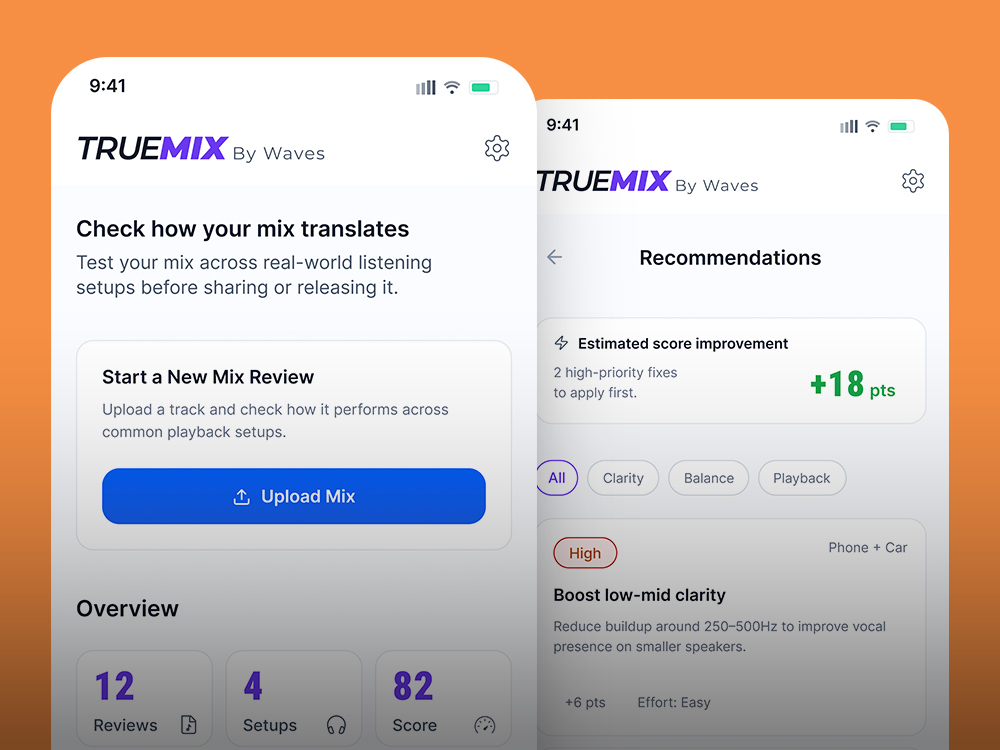
TrueMix app mockup
TrueMix

Mix translation tests across playback setups.

MOBILE APP CONCEPT
Pointer dog-first app concept
Pointer

Outings built around your dog.

MOBILE APP CONCEPT